
If you have a recently purchased a standard or comfort research subscription, you can manage it as a group from your main m-Path account. You can share participant slots and premium features with other m-Path accounts.
Adding a new account to your subscription
Adding a new account to your subscription has 3 steps:
- The manager of the subscription gets the invitation code
- The new account uses this invitation code to join the group
- The manager of the group accepts the new account
These steps will be explained in the following sections.
1. The manager of the subscription gets the invitation code
The manager of a subscription has access to an invitation code that is needed to join the group. This invitation code can be found under Subscriptions, My groups on the manager’s dashboard:

2. The new account uses this invitation code to join the group
Subsequently, a new researcher or new m-Path account can join this group using the invitation code.
To join a subscription, the new account needs to click on the ‘+’ icon under Subscriptions, My subscriptions on your dashboard:

The following window will pop up:
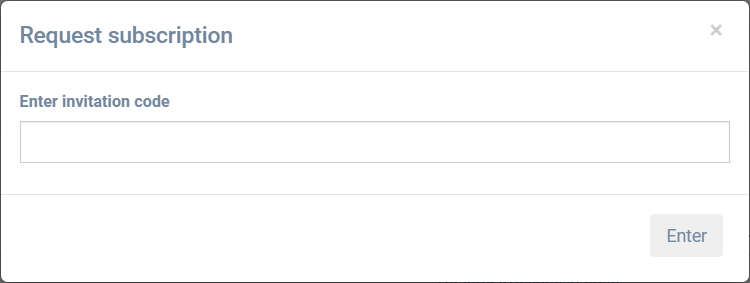
Fill in the invitation code and click on Enter. The account manager still needs to accept the new account (see next section).
3. The manager of the subscription accepts the new account
The manager of the subscription can now grant you access. He or she can do this by toggling the Accepted switch in their My subscribers list. This looks as follows:

The manager can now choose how many participant slotsthe new account can use (slot cap).