The beta can be used to test new features in m-Path. In this it is shown how to join the Android beta and how to join the iOS beta.
Join m-Path beta on Android
- Open Play-Store
- Search for m-Path
- Click on m-Path app
- Scroll down to the join the beta section and click on join (see image below)
- Wait until you actually joined the beta. This may take a few minutes
- Update to beta or reinstall the app
Leaving the beta is done by clicking on leave in the beta section.

Join the beta on iOS
- Go to the iOS App Store
- Search for TestFlight and download this app (this is needed to install beta apps on iOS)
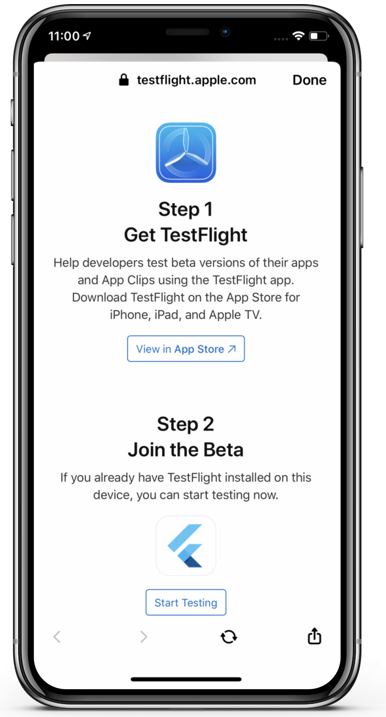
- Open the following link on your iPhone: https://testflight.apple.com/join/rTsSd7At
- Choose Step 2 and click on Start Testing (see figure below)
- Click on Install